
Change the Zakeke URL
To change the Zakeke URL from /app/zakeke to something else:
- Access your Shopify admin.
- Go to: Apps and then click "Apps and sales channel settings" and then click on: on Zakeke Interactive Product Designer
- In the "App proxy" section, click on Customize URL , then set the URL you want and click on Save.
-
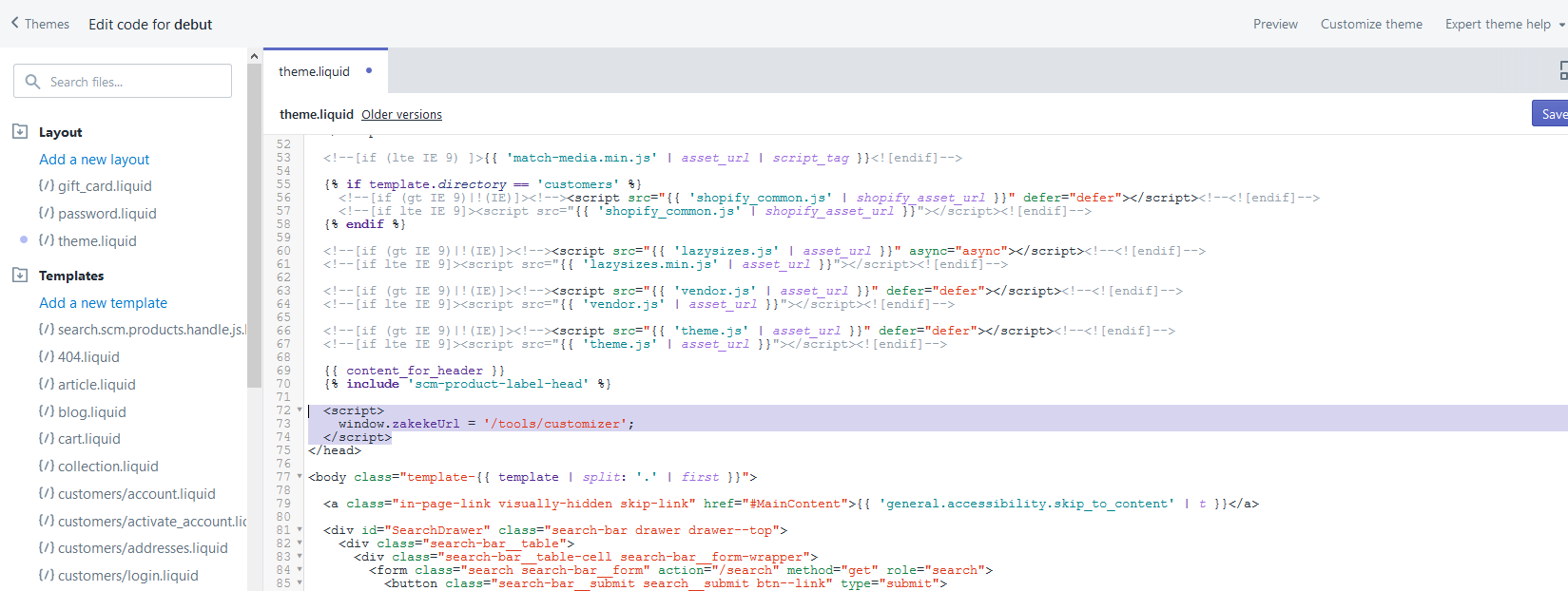
Edit the template liquid file by adding the following code, with the URL that you set before, in this case /tools/customizer. The code must be placed before the closing of the head tag, as shown in the image:
<script>
  var zakekeUrl = "/tools/customizer";
</script>
If you need help or you want to make it on your behalf, just send a message to [email protected]